n8n
Fair-code workflow automation platform with native AI capabilities. Combine visual building with custom code, self-host or cloud, 400+ integrations.
npx n8nFair-code workflow automation platform with native AI capabilities. Combine visual building with custom code, self-host or cloud, 400+ integrations.
npx n8nThe agent harness performance optimization system. Skills, instincts, memory, security, and research-first development for Claude Code, Codex, Opencode, Cursor and beyond.
git clone https://github.com/affaan-m/everything-claude-code.gitAn open-source AI agent that brings the power of Gemini directly into your terminal.
npx @google/gemini-cli[!NOTE]
Brought to you by Bytebase, open-source database DevSecOps platform.
+------------------+ +--------------+ +------------------+
| | | | | |
| | | | | |
| Claude Desktop +--->+ +--->+ PostgreSQL |
| | | | | |
| Claude Code +--->+ +--->+ SQL Server |
| | | | | |
| Cursor +--->+ DBHub +--->+ SQLite |
| | | | | |
| VS Code +--->+ +--->+ MySQL |
| | | | | |
| Copilot CLI +--->+ +--->+ MariaDB |
| | | | | |
| | | | | |
+------------------+ +--------------+ +------------------+
MCP Clients MCP Server Databases
DBHub is a zero-dependency, token efficient MCP server implementing the Model Context Protocol (MCP) server interface. This lightweight gateway allows MCP-compatible clients to connect to and explore different databases:
PostgreSQL, MySQL, SQL Server, MariaDB, and SQLite.
DBHub implements MCP tools for database operations:
dbhub.toml configuration fileDBHub includes a built-in web interface for interacting with your database tools. It provides a visual way to execute queries, run custom tools, and view request traces without requiring an MCP client.

See the full Installation Guide for detailed instructions.
Docker:
docker run --rm --init \
--name dbhub \
--publish 8080:8080 \
bytebase/dbhub \
--transport http \
--port 8080 \
--dsn "postgres://user:password@localhost:5432/dbname?sslmode=disable"
NPM:
npx @bytebase/dbhub@latest --transport http --port 8080 --dsn "postgres://user:password@localhost:5432/dbname?sslmode=disable"
Demo Mode:
npx @bytebase/dbhub@latest --transport http --port 8080 --demo
See Command-Line Options for all available parameters.
Connect to multiple databases simultaneously using TOML configuration files. Perfect for managing production, staging, and development databases from a single DBHub instance.
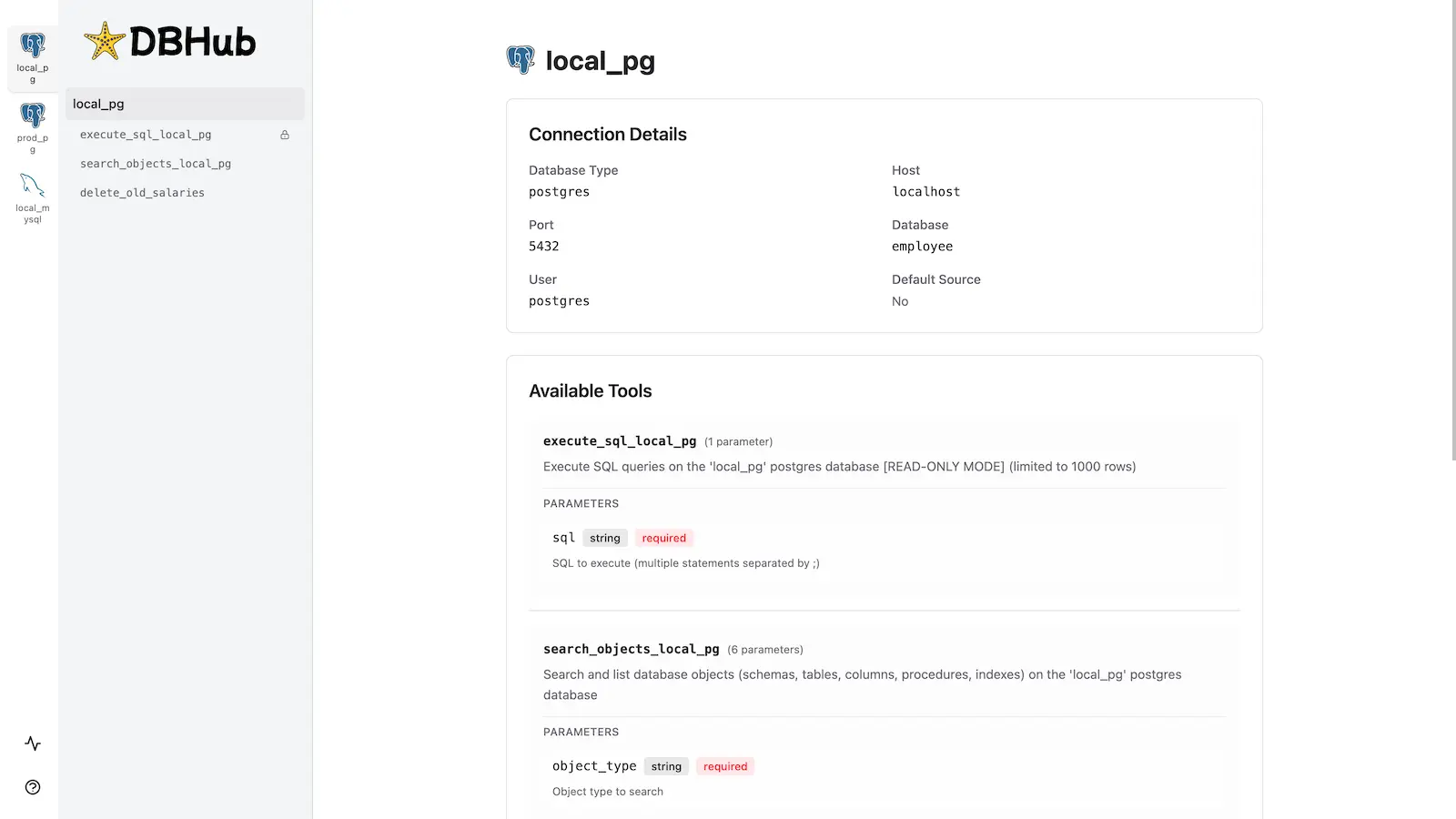
See Multi-Database Configuration for complete setup instructions.
# Install dependencies
pnpm install
# Run in development mode
pnpm dev
# Build and run for production
pnpm build && pnpm start --transport stdio --dsn "postgres://user:password@localhost:5432/dbname"