🌐 Introducing Apify MCP Server
The Apify MCP Server allows an AI assistant to use any Apify Actor as a tool to perform a specific task.
For example, it can:
Video tutorial: Integrate 8,000+ Apify Actors and Agents with Claude

🚀 Quickstart
You can use the Apify MCP Server in two ways:
HTTPS Endpoint (mcp.apify.com): Connect from your MCP client via OAuth or by including the Authorization: Bearer <APIFY_TOKEN> header in your requests. This is the recommended method for most use cases. Because it supports OAuth, you can connect from clients like Claude.ai or Visual Studio Code using just the URL: https://mcp.apify.com.
https://mcp.apify.com streamable transport
Standard Input/Output (stdio): Ideal for local integrations and command-line tools like the Claude for Desktop client.
- Set the MCP client server command to
npx @apify/actors-mcp-server and the APIFY_TOKEN environment variable to your Apify API token.
- See
npx @apify/actors-mcp-server --help for more options.
You can find detailed instructions for setting up the MCP server in the Apify documentation.
🤖 MCP clients
Apify MCP Server is compatible with any MCP client that adheres to the Model Context Protocol, but the level of support for dynamic tool discovery and other features may vary between clients.
To interact with the Apify MCP Server, you can use clients such as Claude Desktop, Visual Studio Code, or Apify Tester MCP Client.
Visit mcp.apify.com to configure the server for your preferred client.
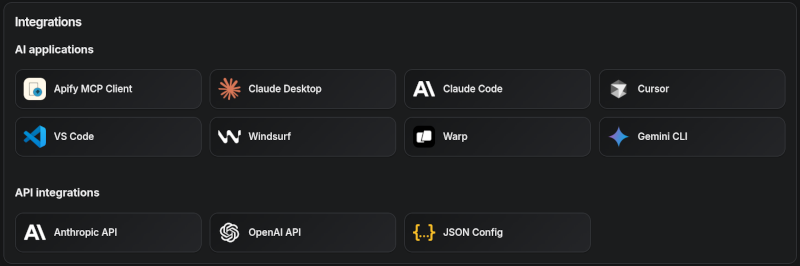
Tested clients
🪄 Try Apify MCP instantly
Want to try Apify MCP without any setup?
Check out Apify Tester MCP Client
This interactive, chat-like interface provides an easy way to explore the capabilities of Apify MCP without any local setup.
Sign in with your Apify account and start experimenting with web scraping, data extraction, and automation tools!
Or use the MCP bundle file (formerly known as Anthropic Desktop extension file, or DXT) for one-click installation: Apify MCP Server MCPB file
💰 Agentic payments
You can pay for Actor runs without an Apify API token using either x402 or Skyfire.
- x402 pays with USDC on Base and does not require a separate platform account. It is fully supported by
mcpc (npm install -g @apify/mcpc). We use mcpc because it is one of the few MCP clients that supports the latest features and the x402 protocol natively.
- Skyfire pays with PAY tokens and requires a Skyfire account with a funded wallet. It does not require a special MCP client; the entire payment flow is handled directly through the MCP tool call parameters.
The Apify MCP Server collects telemetry data about tool calls to help Apify understand usage patterns and improve the service.
By default, telemetry is enabled for all tool calls.
The stdio transport also uses Sentry for error tracking, which helps us identify and fix issues faster.
Sentry is automatically disabled when telemetry is opted out.
Opting out of telemetry
You can opt out of telemetry (including Sentry error tracking) by setting the --telemetry-enabled CLI flag to false or the TELEMETRY_ENABLED environment variable to false.
CLI flags take precedence over environment variables.
Examples
For the remote server (mcp.apify.com):
# Disable via URL parameter
https://mcp.apify.com?telemetry-enabled=false
For the local stdio server:
# Disable via CLI flag
npx @apify/actors-mcp-server --telemetry-enabled=false

# Or set environment variable
export TELEMETRY_ENABLED=false
npx @apify/actors-mcp-server
⚙️ Development
Please see the CONTRIBUTING.md guide for contribution guidelines and commit message conventions.
For detailed development setup, project structure, and local testing instructions, see the DEVELOPMENT.md guide.